
The LogicNets Enterprise Platform
Manage the Complete Lifecycle
of Your Digital Clinical Knowledge
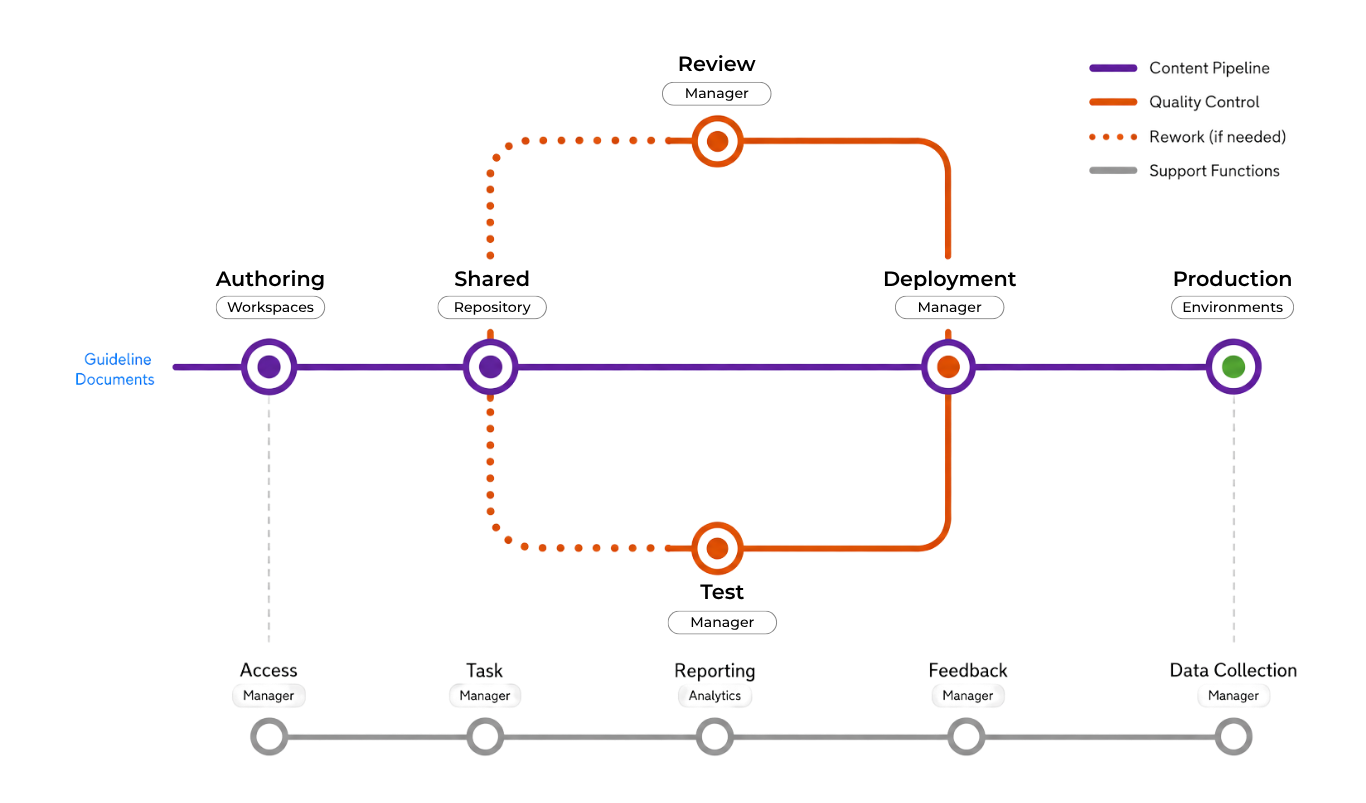
The LogicNets platform unifies specialized facilities for authoring, collaboration, quality control, deployment, and enterprise management into a single environment for managing the complete lifecycle of digital clinical knowledge. As content moves from creation through review, testing, and deployment, each facility keeps it organized, reusable, version-controlled, and ready for production at enterprise scale.
Your digital knowledge flows between specialized
platform facilities throughout its lifecycle
Take a Tour of the Platform
Visualizing Complex Medical Knowledge
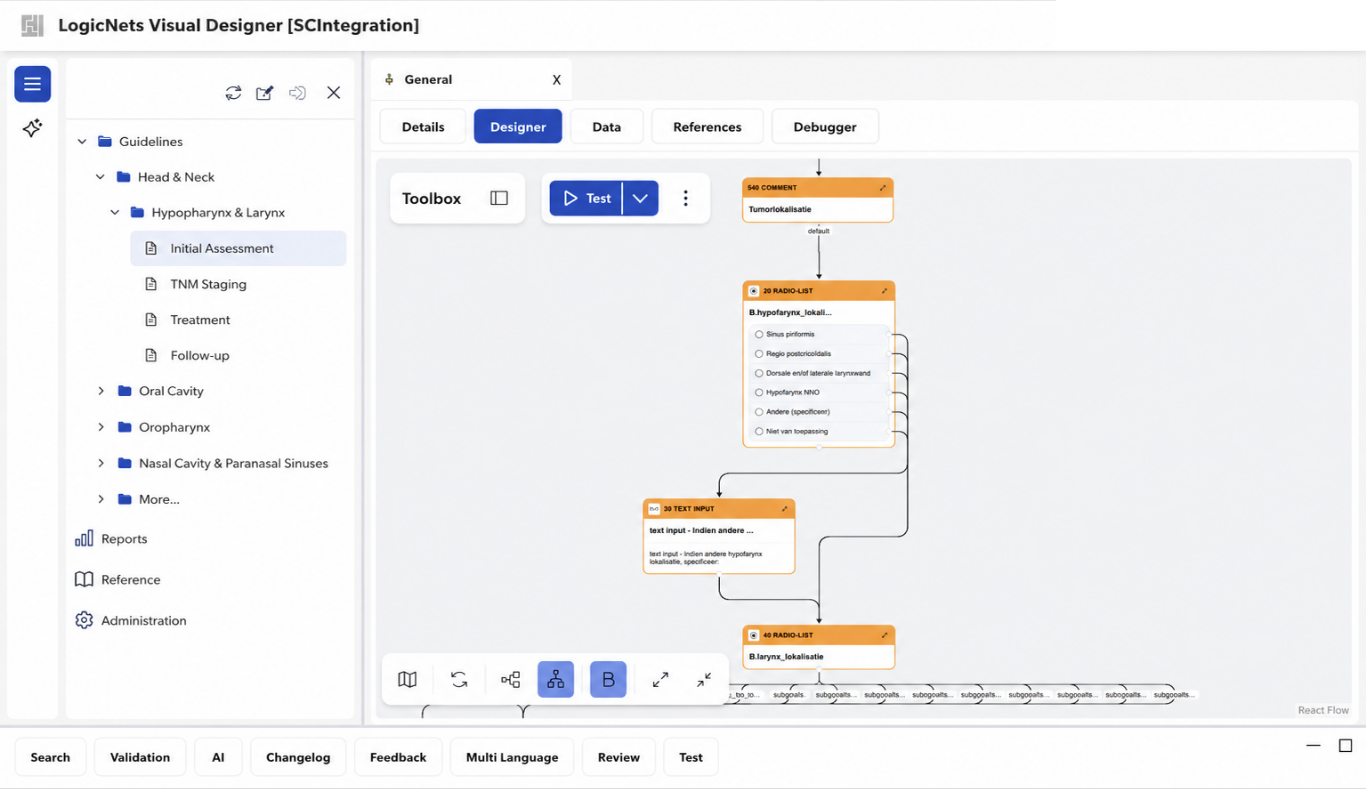
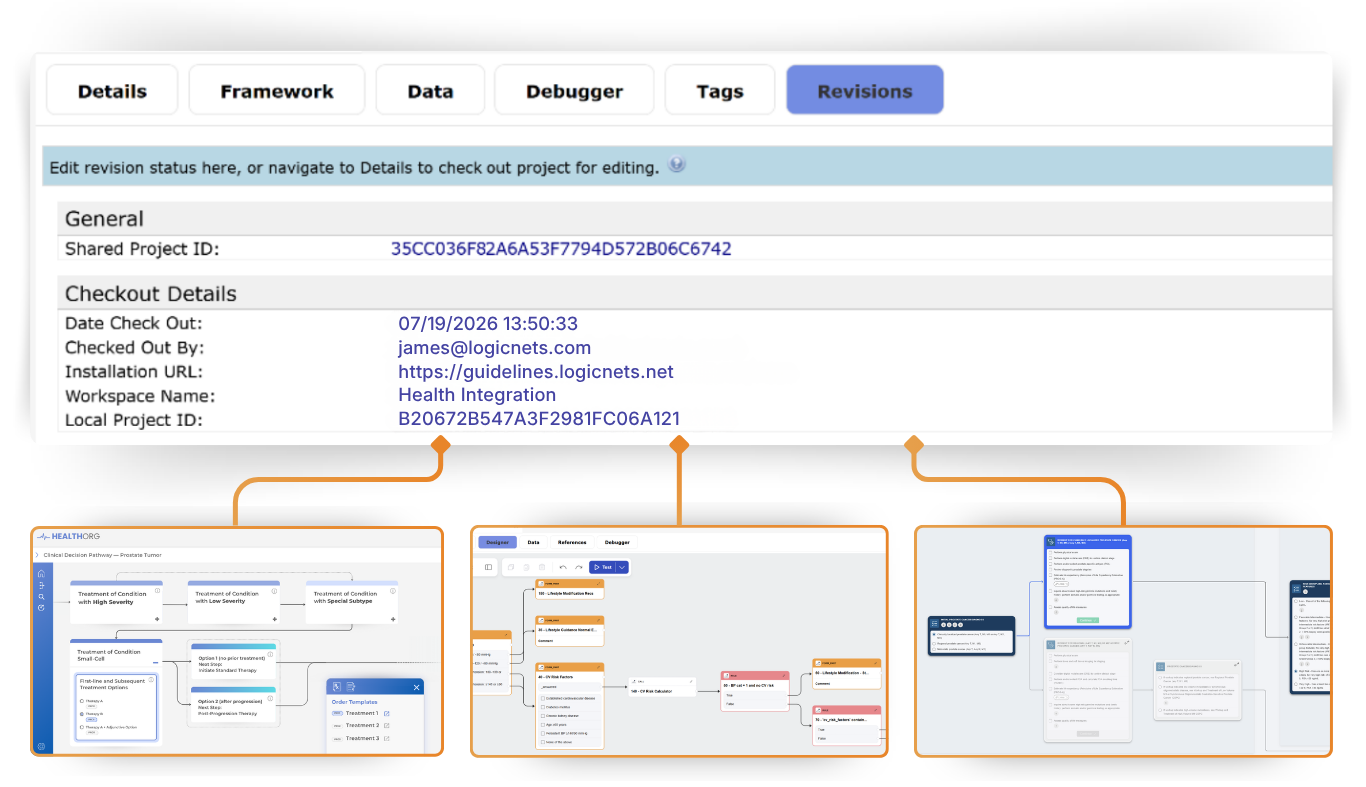
The LogicNets Designer transforms clinical and operational guidance into clear, interconnected decision trees that map out your decision logic step by step. No matter how complex the pathway, our visual authoring environment makes it easy to build, understand, and manage conditional logic over time, turning dense guidelines into intuitive, navigable workflows.
Advanced Authoring Features
Collaboration and Accountability
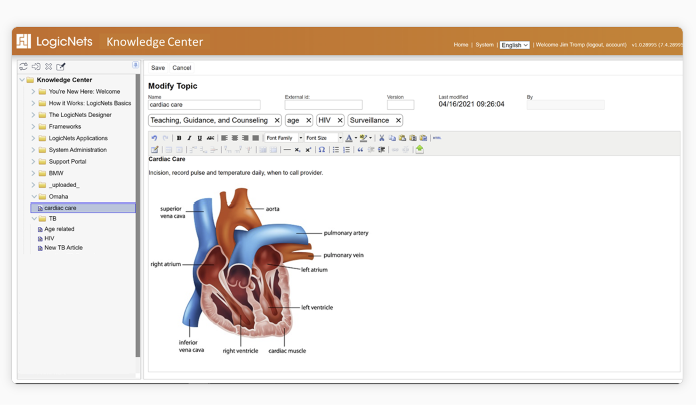
LogicNets shared workspaces give content teams organized repositories for managing and collaborating on LogicNets applications and components. Every asset is version-controlled, so changes are tracked, history is preserved, and previous versions can be restored at any time.
Groups and permissions control who can view, edit, or publish, keeping collaboration secure and accountable as teams grow. Designers can work together within the same workspace while maintaining clear ownership of their work, and shared components can be reused across applications to speed up development and ensure consistency.
Flexible Deployment, Your Way
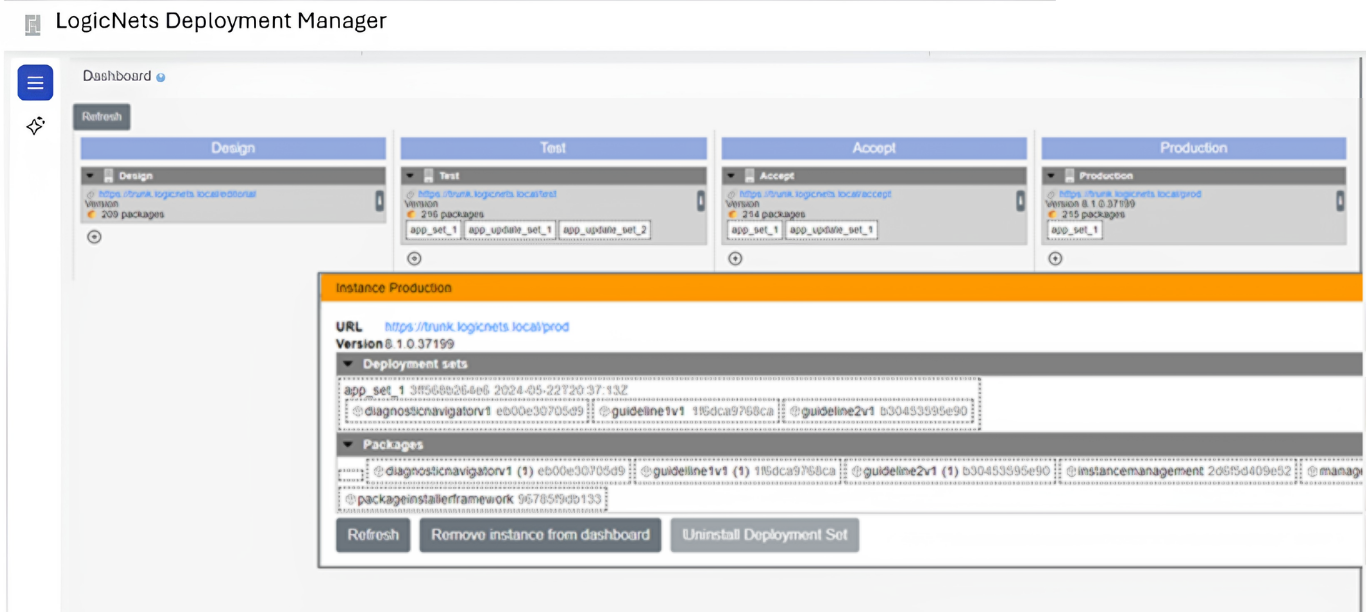
Publish and distribute applications in a single step. Your applications can be hosted by LogicNets and delivered to the organization as a cloud service, or they can be deployed and managed by your own IT department.
- Structured release management through Design, Test, Accept, and Production stages
- Application migration management
- Hosting any stage in the cloud, on premise, or hybrid
- Secure integration with enterprise SSO and network management and security
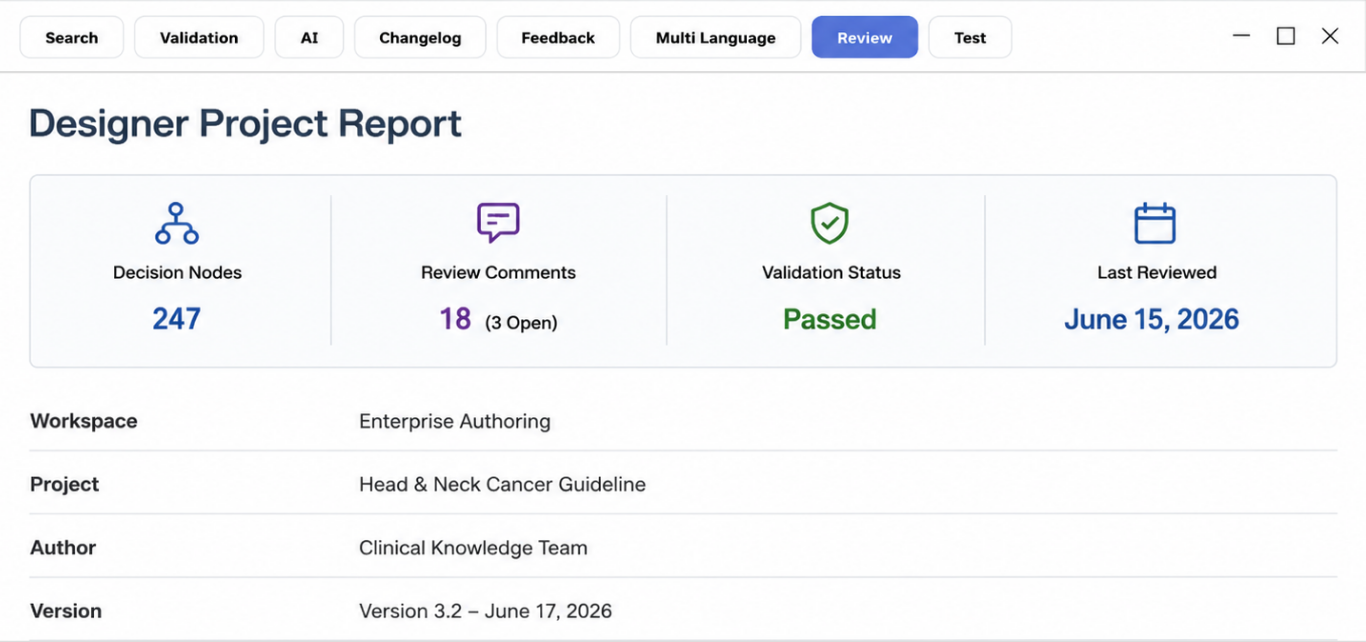
Clinical Validation You Can Trust
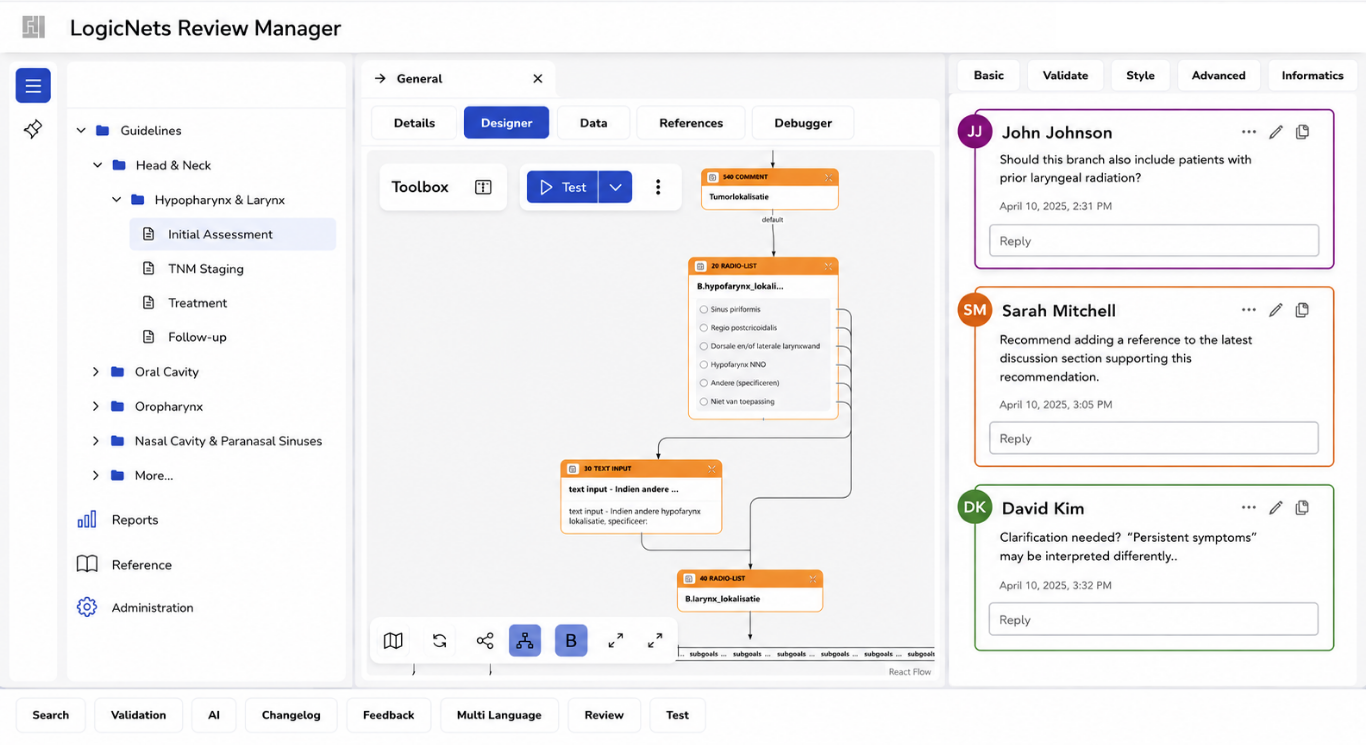
Clinical review is essential before digitized guidelines are put into production use. LogicNets supports a structured validation process that lets clinical experts review application logic, test scenarios, and outputs to confirm they align with the intended guideline before go-live.
Built-in feedback tools make it easy for reviewers to flag issues, suggest changes, and communicate directly with designers, creating a clear, traceable record of clinical input throughout the validation cycle. This collaborative review process ensures applications are clinically sound, accurate, and trusted by the teams who rely on them.
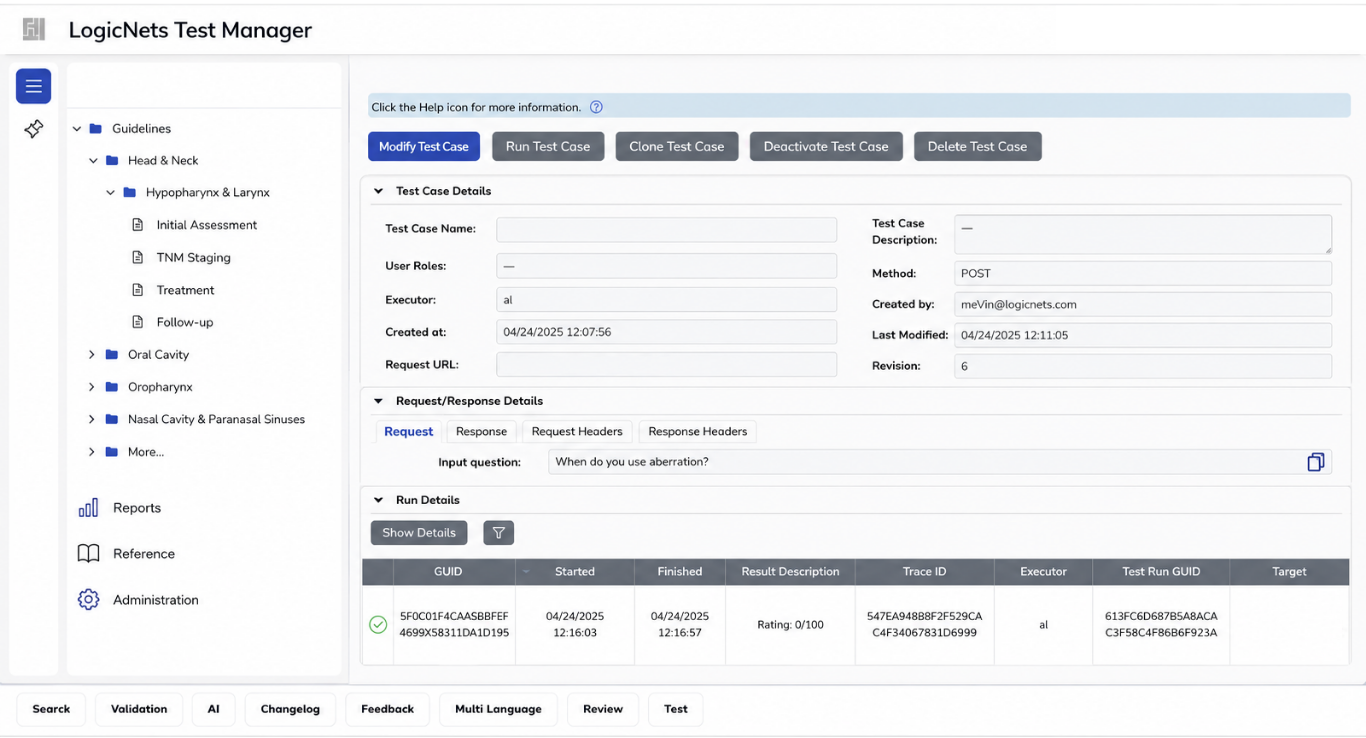
Automated Testing for Clinical Applications
The LogicNets Test Manager streamlines regression and integration testing, reducing the effort of developing and maintaining test scripts. It lets designers build and run persistent test suites pairing input scenarios with expected results, supporting reliable regression testing as applications or external factors change.
While it supports any text-based format, it's optimized for FHIR, intelligently handling variable elements like timestamps and offering a Questionnaire-based interactive test harness with multi-language support. Tight integration with the LogicNets Designer lets designers convert real requests and responses into test cases with a single click, while also validating system-generated FHIR and Web API requests.
Available Everywhere
Once deployed, LogicNets applications and their clinical logic are accessible across web browsers, AI assistants, and integrated enterprise systems, wherever your teams and workflows need them.

Web Browser
Navigator
The LogicNets Navigator gives users an intuitive, web-based interface to walk through clinical and operational logic step by step. Designed for ease of use, it guides users through each decision point with clarity, ensuring consistent, guideline-driven outcomes every time.
AI Integration
AI – MCP Tool Set
LogicNets connects directly to AI assistants like Claude through the Model Context Protocol (MCP), enabling secure, bidirectional access to your applications and data. Whether working in a chat interface, IDE, or other AI-powered tool, users can interact with LogicNets logic using standardized, governed connections.
Enterprise Integration
Workflow – API
LogicNets applications integrate seamlessly into existing systems through a robust API, enabling automated workflows that connect decision logic with EHRs, portals, and other enterprise tools. This allows organizations to embed clinical and operational intelligence directly into the systems people already use.